
PulseGrav中文 · Mainland China
PulseGrav

Android 8.0+ · Official release 0.2.0

Wi-Fi Watcher

See what responds on your current Wi-Fi.

Check the Wi-Fi connection you are using, explore devices that respond on its local network, and run optional connection tests.

Official English Android release availableProduction-signed and distributed directly by PulseGrav.

0.2.0 · 1.40 MB · SHA-256

44b19055807d06d895f6f6535353bb1b48ba30dc91208c78b29b00a633fecfba

This direct-download release is not listed on Google Play. It uses the Wi-Fi Watcher production signing certificate; it cannot update an installation signed with the Android debug certificate.

Wi-Fi Watcher icon: a phone and computers connected to a Wi-Fi network
Android app · English and Chinese interfaces

01 / What it does

Understand your connection, one check at a time.

Scan the current local network

Scanning starts when you request it, and can also run on launch or after a Wi-Fi change while automatic scanning is enabled. The app lists devices that respond and shows identification evidence. Routers, firewalls and sleeping devices can prevent a response, so the result may be incomplete.
Review Wi-Fi connection details

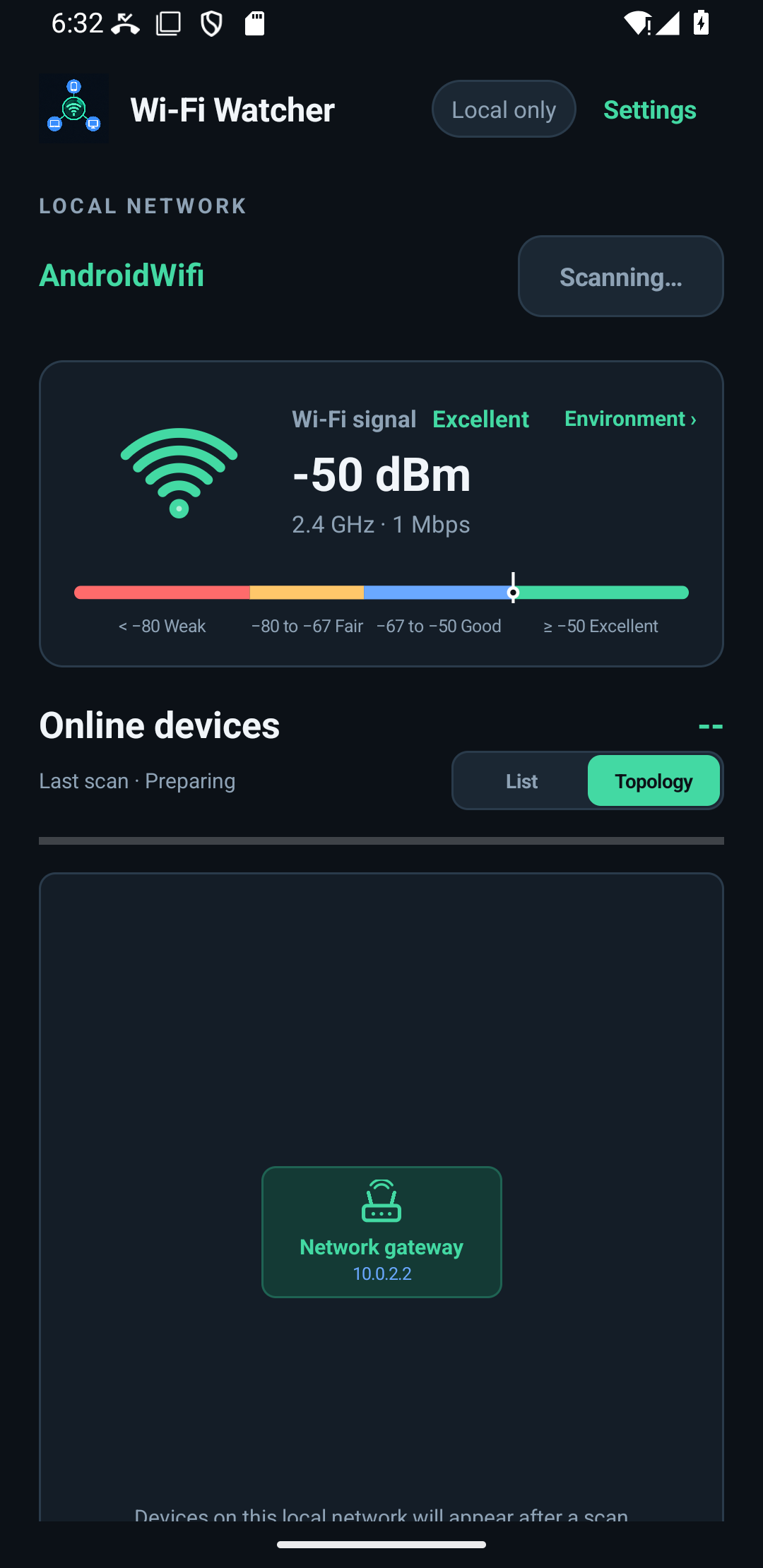
See connection state, signal, band and gateway details exposed by Android and the device. Available values depend on Android version, device maker, permissions and system settings.

Run optional connection tests

Speed tests contact Cloudflare over HTTPS, transferring about 4 MiB down and 1 MiB up, plus a small latency request. Network diagnostics probe the gateway, TCP port 443 on reachable international targets, and DNS lookups for Cloudflare, Google and Wikipedia through the device's configured resolver.

Wi-Fi Watcher English main screen captured on an Android 15 emulator
English interface · Android 15 emulator

02 / English interface

Built for everyday network checks.

Wi-Fi Watcher includes English labels for connection details, device categories and evidence, scan states, optional speed and network tests, permissions and accessibility descriptions. Chinese remains available, and other unsupported system languages fall back to English.

Device type and network relationships are estimates based on local responses such as hostnames, services, ports, TTL and MAC-vendor data. They are not a guarantee that every device was found or correctly identified.

03 / Scope

Useful observations, with honest limits.

Wi-Fi Watcher is a local network utility. It does not guarantee discovery of every device, identify intruders, detect hidden cameras or guarantee network security.

  • Scan results and device identification are processed on this device.
  • There is no account, cloud scan history, advertising SDK or analytics SDK in this build.
  • An optional router button opens the gateway's HTTP address in your browser; router login and browser behavior are outside the app.

04 / Permissions and data

Why Wi-Fi access is requested.

Nearby Wi-Fi and location permissions

Android versions may require Nearby Wi-Fi and location permissions for Wi-Fi scan APIs. The app reads nearby access-point information but does not call location APIs to read GPS coordinates.

Local processing and records

Network names, addresses, scan evidence and settings stay in app-private storage or memory. The app does not upload scan results to PulseGrav. Android backup may include app data, depending on your device settings.

Third-party network traffic

Optional speed tests send test traffic to Cloudflare. Diagnostics use the system-configured DNS resolver and international TCP targets. Android's cleartext policy can block optional HTTP device fingerprint requests, so some local details may be unavailable.

Read the Wi-Fi Watcher app privacy policy for stored data, permissions, third-party services and how to clear local records. Website analytics and website privacy terms are separate.

05 / Install the official release

Install from the official download.

Download the APK on an Android 8.0 or newer device, review its SHA-256 value, then open it and follow Android's installation prompts. Android may ask you to allow the browser or file manager to install apps from that source.

The earlier preview was signed with Android's debug certificate and cannot update to this release. Uninstalling that preview removes its local data, so make a copy of anything you need first.

Download 0.2.0

06 / Support

Ask us about the release.

Contact PulseGrav

Changsha Pulse Gravity Technology Co., Ltd.